No internet connection required. Runs directly on your Windows PC with zero monthly fees, instant barcode scanning, digital weighing scale support, and fast receipt printing.
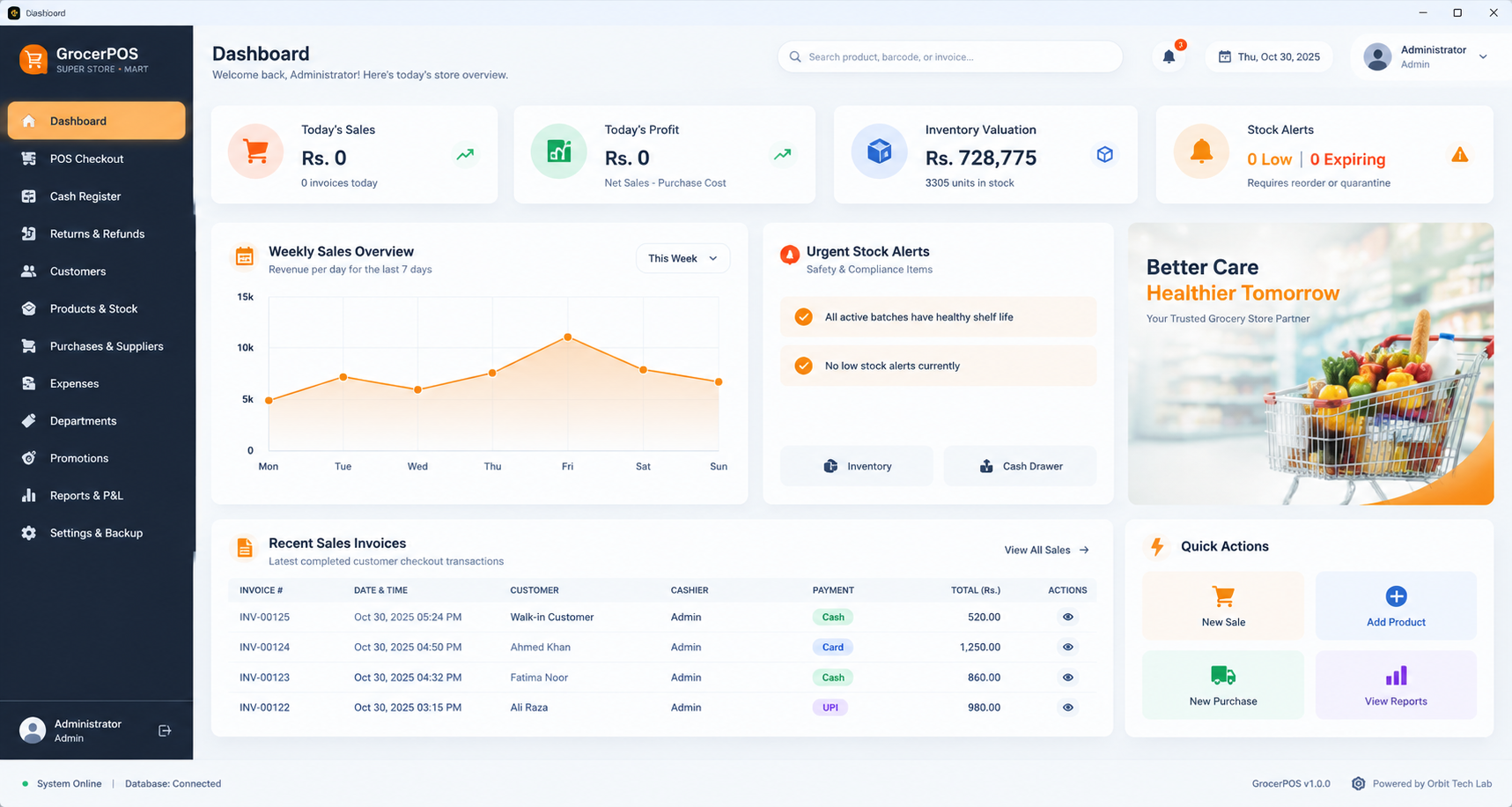
Fast barcode item scanning, RS-232 weighing scale support, thermal receipt printing, and live P&L calculations running 100% locally.
Keyboard hotkeys (F1–F9) and a global barcode listener that catches fast scans instantly anywhere on screen. Hold and resume orders effortlessly for waiting customers.
RS-232 / USB serial connection driver for CAS, Toledo, and Dibal scales. Real-time weight transfer for produce, vegetables, and bulk weight items with manual override.
Silent ESC/POS thermal printing for standard 80mm and 58mm rolls. Prints store logos, invoice numbers, tax breakdowns, and generates printable shelf barcode labels.
Full shift drawer balancing. Record opening float, track real-time cash vs. card intake, reconcile drawer discrepancies, and print official end-of-shift Z-Reports.
Multi-tier promotions including BOGO (Buy One Get One), bundles, and percentage discounts. Bronze, Silver, and Gold customer loyalty points with instant checkout redemption.
Automatic Cost of Goods Sold (COGS), gross revenue, net margin, daily operational expenses, and top product analytics compiled instantly on your local computer.
No expensive custom equipment. GrocerPOS works immediately with the standard barcode scanners, thermal receipt printers, and digital scales you already have.
USB Wired, 2.4G Wireless Dongles & Bluetooth
Standard 80mm & 58mm Roll Paper
Digital Scales & Auto-Open Cash Drawers
All the operational tools required for supermarket counters, inventory managers, and store owners.
Get the complete Windows installer. Install once on your counter computer, create your desktop shortcut, and start ringing up sales right away.
GrocerPOS-Setup-1.0.0.exe (64-bit)
Safe & verified setup. After download, run the installer to create your desktop shortcut.
Click download to save GrocerPOS-Setup.exe to your PC.
Run the setup file and select your desired installation folder.
Launch GrocerPOS from Desktop and start ringing up sales offline!